Tools walk off site. Nobody remembers who had the grinder. Material runs out halfway through a job. TOOLFlow fixes that by giving every tool and every length of material a scannable label and a record of who has it. It is a web app that runs on any phone or PC with nothing to install, and it is organised in three layers:
1
Main Admin
Company-wide management
The owner's control room. Create and manage your locations, create admin users and assign them to locations, transfer tools between locations, manage clients per location, and handle account settings (device lock, passwords, company logo) and your subscription.
2
A location
Where the stock lives
A physical store or storeroom, and you can have as many as you need. A QTY Store tracks tools and items by quantity; a Material Store tracks raw material such as bar, pipe and tubing by length, so offcuts stay on the books instead of disappearing. Each location has its own stock, its own users and its own Admin Panel behind an admin login, covering TOOLS (library, adding tools, categories, scan labels), RESTOCK (refills, request-for-quote emails to suppliers, low-stock alerts), INSIGHTS (activity, stock checks, stock status) and WORKSPACE (users, suppliers, custom fields).
3
The shop floor
User login
Workers pick their name and enter a password — no email address needed. They see two screens: a live DASHBOARD showing what is out, what is in and who has what, and CHECK IN / OUT, where they check tools or material out and back in by searching or scanning the label. Every action is logged with the person's name and time.
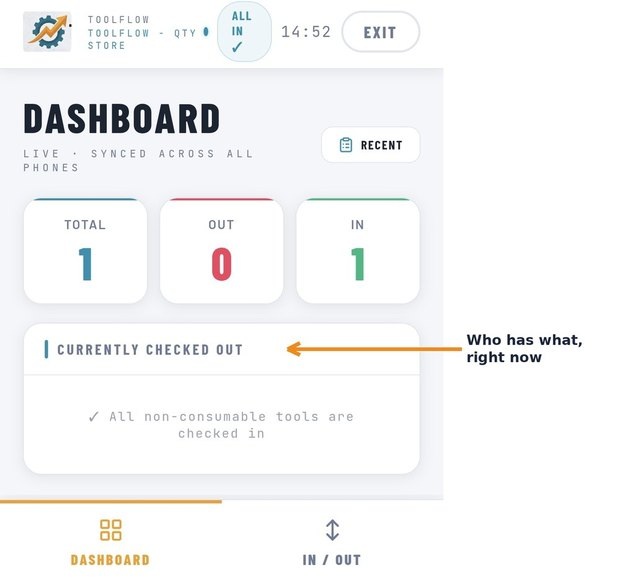
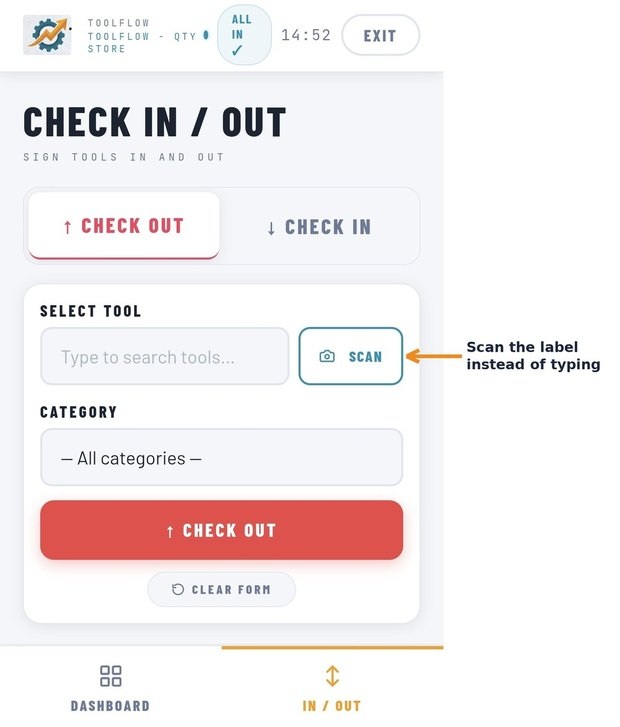
The daily flow — a worker opens the app, picks the store, taps their name and enters their password, scans a tool or material and checks it out. The dashboard updates instantly for everyone. Admins get alerts before stock runs out and can email a supplier a request for quote in a few taps.
14-day free trial, everything unlocked. No credit card.
Built and supported in South Africa. Questions? info@toolflow.co.za
Back to Home